Update/downgrade OBLAC Drives
The pre-installed version of OBLAC Drives may need to be updated. You can also downgrade to a previous version if your drives requires it.
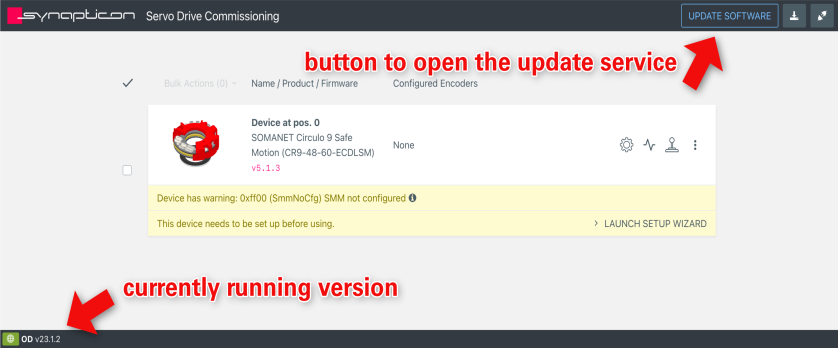
Click on the "UPDATE SOFTWARE" button to open the OBLAC Drives Update Service.
-
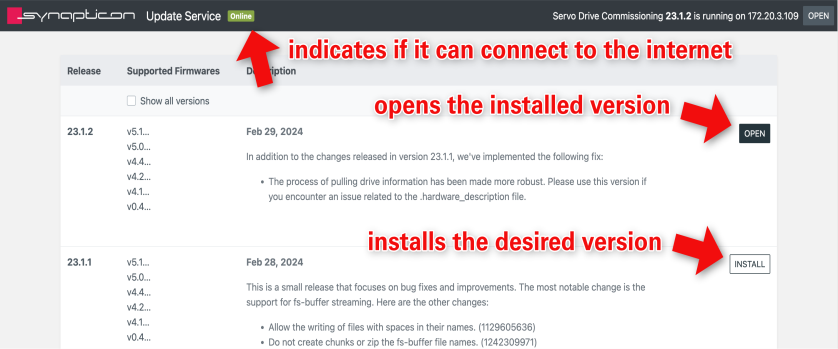
From the list of releases, click “INSTALL” on the release of your choice.
-
After installation, click “OPEN” to open the installed version.
Note: When you have downgraded to a version older than 19.0.0 you will not find the Link anymore. To access OBLAC Drives Update Service please manually enter port 64000 in your URL (e.g., 192.168.0.1:64000)